
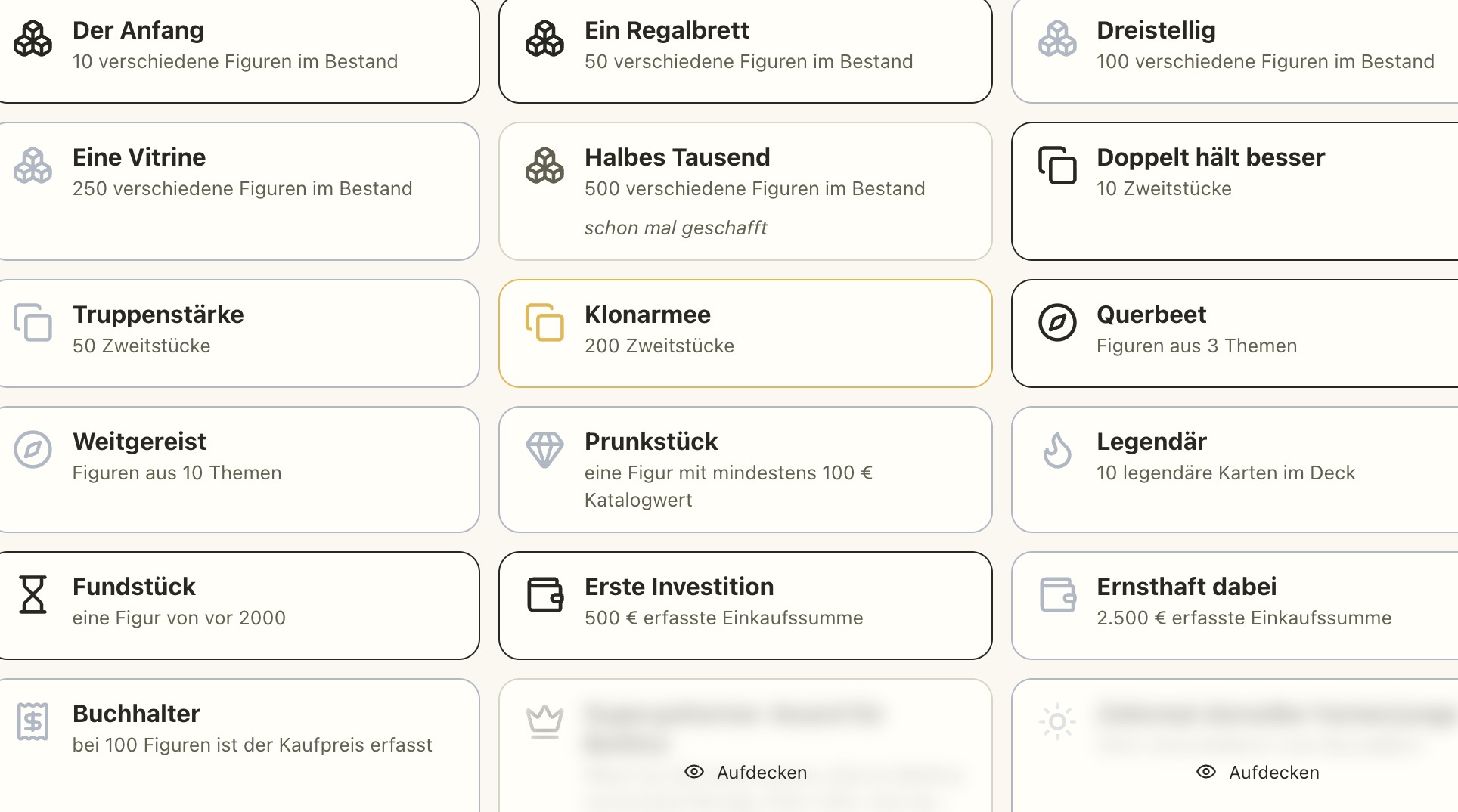
Bronze, silver, gold — and a few secrets
Plasticfolk now has trophies: a page of their own under My figures, next to the statistics, showing what your collection has already achieved. Every trophy has a tier from bronze through silver and gold to platinum, and the ones still open show how far you have to go. A click on a tile opens the details — for trophies that ask for particular figures, it shows with pictures which ones you are still missing. Once earned, always earned: selling a figure later does not take the trophy away. And a few of them are secret. They sit on the wall covered up, and anyone who does not want to wait for the surprise can simply uncover them.
You can unlock them anywhere: whatever page you happen to be on when you tick off a figure, the trophy shows up right away. What you have earned gets its own tab on your profile and appears in the activity stream — secret trophies stay covered there, the surprise is yours. I am curious which one you will find first.
What else is new:
- One level for privacy: Public, followers only, or private — a single setting now governs your profile, activities, ownership, photos and published lists. The individual switches for all of that are gone.
- Activity on the profile: What happened recently is now shown on the profile page itself.
- Wishlists for BrickLink: Missing parts and whole wishlists can be downloaded or copied as a wanted list and uploaded to BrickLink. Custom figures and anything not listed there are left out.
- File a selection away: The bar for a selection has been tidied up; the figures you picked go straight into a list or onto a wishlist.
- Collection import in the settings: The import now opens over the settings instead of on a page of its own, with clearly separated sources. BrickEconomy files are newly recognised, including the currency for purchase prices, and the preview shows the image, name, number and status of every figure before you take anything over.
- Sort public collections: by number, name or catalogue value.
- Pinned figures as trading cards: enlarge them, turn them over — and the view you choose applies to your public profile too.
- More about a figure: The detail page now shows variants and neighbouring figures, so you can keep browsing sideways from there.
- Discover without an empty shelf: As long as you have pinned nothing, popular collections are shown instead.
- The same page head everywhere: Overview pages start the same way, and the tab row sits above the title and stays in view while you scroll.
- Selling starts at the auction: The area leads there first; buy-in offers now live under Purchases & care.
You can find all the changes in detail in the changelog.